In today’s world, where technology powers nearly every aspect of our lives, sudden power interruptions can lead to significant disruptions. This is where a UPS comes into play. But whats a UPS? Let’s dive deep and explore this essential device.
What is a UPS?
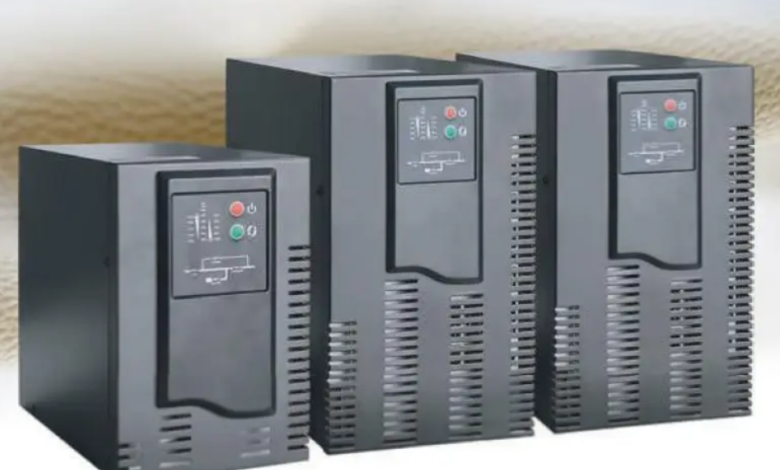
A UPS, or Uninterruptible Power Supply, is an electrical device that provides backup power when the main power source fails. Essentially, it ensures that your electronic devices continue to operate for a short period during a power outage. Unlike a regular battery or generator, a UPS delivers immediate power, preventing sudden shutdowns that can damage sensitive equipment.
UPS systems are widely used in homes, offices, and industries where continuous power is critical. They are particularly crucial for computers, servers, medical equipment, and other devices that cannot afford sudden power interruptions.
See also: What Are the Essential Dos and Don’ts for Lutron Systems?
How Does a UPS Work?
A UPS functions as an intermediary between your device and the main power supply. Its primary components include:
- Battery: Stores electrical energy for emergency use.
- Inverter: Converts stored DC power from the battery into AC power for your devices.
- Rectifier/Charger: Charges the battery and ensures a constant power supply from the main source.
- Surge Protector: Safeguards connected devices from voltage spikes.
When the main electricity supply is stable, the UPS allows power to pass through while charging its battery. In case of a power failure, it instantly switches to battery power, providing uninterrupted electricity.
Types of UPS Systems
Understanding whats a UPS also means knowing the types available:
- Offline/Standby UPS: The most basic type. It powers your devices directly from the main supply and switches to battery only during outages. Ideal for home computers and small electronics.
- Line-Interactive UPS: Offers better voltage regulation, protecting devices from minor voltage fluctuations without switching to battery power immediately. Suitable for small businesses and office setups.
- Online/Double Conversion UPS: Provides continuous, clean power by constantly converting incoming AC to DC and then back to AC. Perfect for critical systems like data centers, hospitals, and industrial equipment.
Benefits of Using a UPS
- Uninterrupted Power Supply: Keeps devices running during blackouts, preventing data loss.
- Voltage Regulation: Protects equipment from surges, spikes, and brownouts.
- Device Longevity: Reduces wear and tear caused by abrupt power fluctuations.
- Peace of Mind: Essential for work environments that rely heavily on continuous power.
Common Applications of UPS
- Computers and Servers: Prevents data loss and hardware damage.
- Medical Equipment: Ensures life-saving devices remain operational.
- Telecommunications: Keeps network devices online during outages.
- Home Electronics: Protects TVs, gaming consoles, and home offices.
How to Choose the Right UPS
Selecting the ideal UPS requires considering factors such as:
- Power Capacity: Measured in VA (Volt-Amps) or Watts, ensure it meets your device’s requirements.
- Runtime: Duration the UPS can support devices during an outage.
- Form Factor: Desktop, tower, or rack-mounted depending on space and setup.
- Features: LCD displays, alarms, and automatic voltage regulation enhance usability.
Maintenance Tips
- Test your UPS regularly to ensure it functions correctly.
- Replace batteries every 3-5 years or as recommended by the manufacturer.
- Keep the UPS in a cool, dry environment to avoid overheating.
- Avoid overloading your UPS beyond its rated capacity.
FAQs About UPS
Q1: Whats a UPS used for in homes?
A UPS provides backup power for computers, TVs, and other electronics during short power outages, preventing data loss and device damage.
Q2: How long can a UPS run on battery?
The runtime varies depending on the UPS size and connected load, usually ranging from 5 minutes to several hours.
Q3: Can a UPS replace a generator?
No. A UPS provides short-term backup, while generators are designed for long-term power outages.
Q4: Does a UPS protect from lightning?
A UPS can protect against minor voltage spikes but may not fully protect against a direct lightning strike.
Q5: How do I know what size UPS I need?
Check the total wattage of all devices you want to connect and choose a UPS that supports at least 20-30% higher capacity.
Conclusion
Understanding whats a UPS is essential in today’s technology-driven world. A UPS is more than just a backup battery—it’s a safeguard that ensures your devices remain operational during power interruptions. Whether for home, office, or industrial use, investing in a reliable UPS protects both your electronics and your peace of mind.